
Picomon 0.2.0: From AMD Crash Fix to GPU Monitoring That Doesn’t Suck
I was experimenting with Qwen 30b and later the new Nemotron Nano. I am usually operating on Nvidia hardware where nvtop works fine. On AMD? Random crashes, assertion failures, zero visibility into memory usage. I had an AMD server and I needed something that just worked.
Now the crashes aren't because nvtop is bad. I love that tool and it's great. Some assertions it is making for are too strict and I needed visibility more than absolute correctness. amd-smi works but I can't see the history and how efficient my training is. So I whipped up a Python script with an LLM that parsed amd-smi output. It was ugly. It worked. I called it picomon.
The Glow-Up
Then I discovered Textual. If you haven’t used it, Textual is what happens when a Python developer gets bored of building web apps and decides terminal UIs should be beautiful. I immediately had to rewrite picomon from scratch and make it look great.
What 0.2.0 Actually Does
- Multi-vendor support: AMD (ROCm), NVIDIA (nvidia-smi), Apple Silicon in one tool
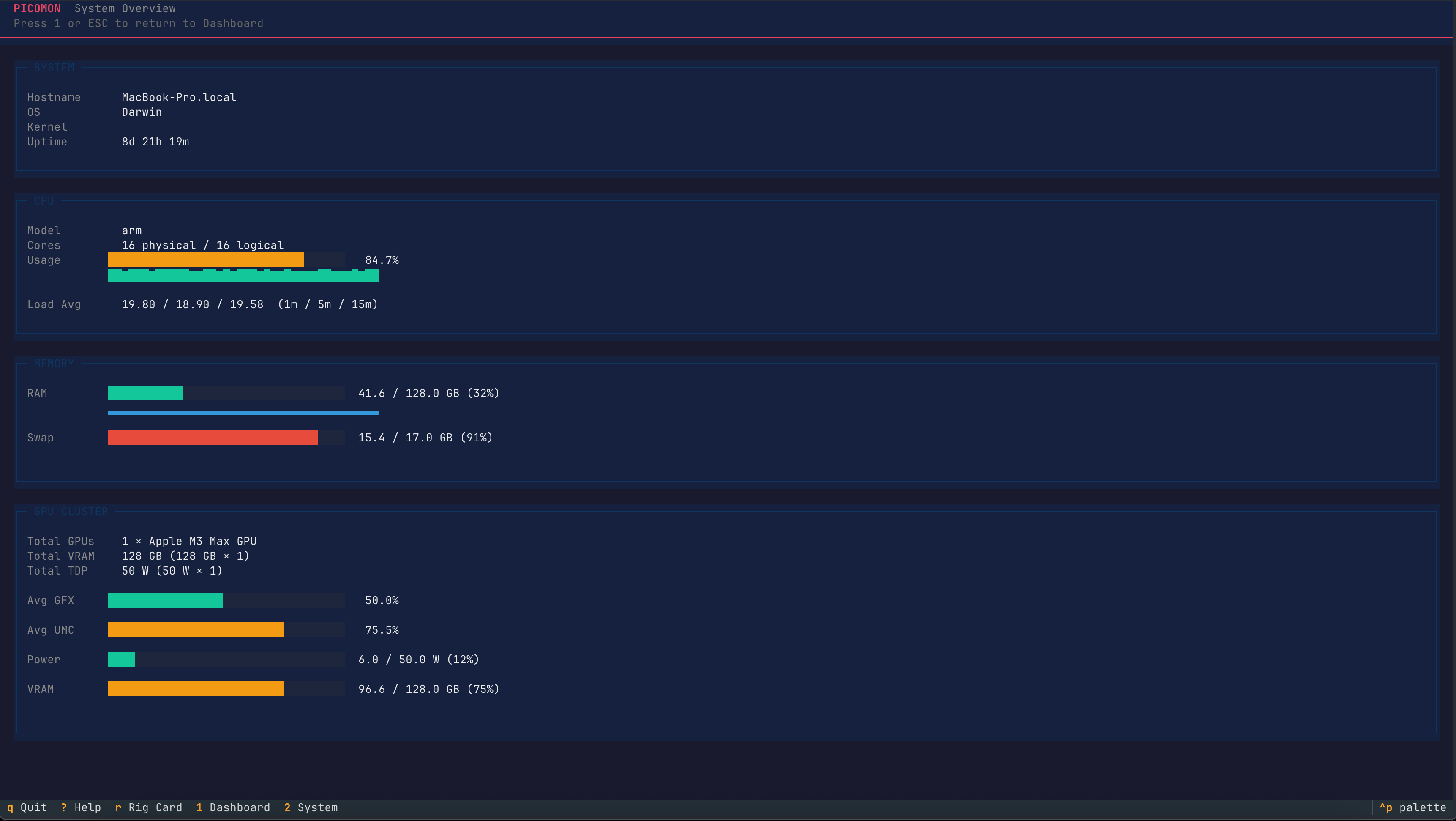
- Textual TUI: Live-updating dashboard with memory, utilization, temperature, power draw
- Rig cards: Navigate to a shareable summary of your setup. Mine shows:
╭────────────────────────────────────────────╮
│               P I C O M O N                │
│────────────────────────────────────────────│
│  MacBook-Pro.local                         │
│  arm | 128 GB RAM                          │
│────────────────────────────────────────────│
│  1 × Apple M3 Max GPU                      │
│  128 GB VRAM | 50 W TDP                    │
│────────────────────────────────────────────│
│  GFX  ████████████░░░░░░░░░░░░   50%       │
│  PWR  ██░░░░░░░░░░░░░░░░░░░░░░    6W       │
│  VRAM ██████████████████░░░░░░  97GB       │
╰────────────────────────────────────────────╯
- Lightweight: No GUI dependencies, installs with pip, runs in a tmux session
The Rig Card Flex
The rig card feature is pure ego. I hang out with other ML engineers and we like to share benchmarks, model configs, and now... server specs. Navigate to your Rig Card inpicomon with a quick shortcut, copy the ASCII art, paste it anywhere.
The Technical Bits
The original script used amd-smi --json and parsed the output. The 0.2.0 version introduces a provider system to become vendor-agnostic, uses Python’s asyncio to poll metrics every 3 seconds and renders with Rich’s layout engine. The Apple Silicon support was added because I wanted the same tool I use on servers to work on my Mac.
Why This Matters
Most GPU monitoring tools are vendor-locked or bloated. picomon is what you run in a tmux session on a headless server and forget about. The 0.2.0 release just makes it pretty and multi-vendor.
Install it: pip install picomon or just run uvx picomon
Source: github.com/omarkamali/picomon
Now back to training models.
Related posts
Interested in collaboration?
I'm open to research partnerships, compute collaborations, or contributing to low-resource language AI.
Get in touch